How Teachers Can Save Time Using an Interactive Flat Panel
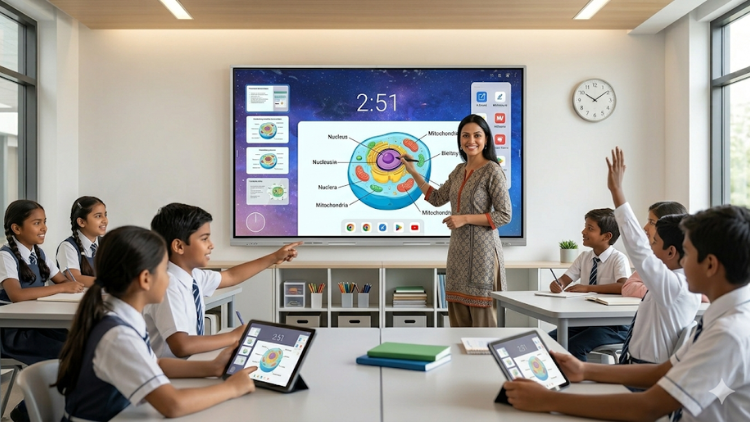
1. Quick Lesson Preparation with Ready-to-Use Content

- Open pre-designed lessons
- Use subject-wise digital content
- Add videos, images, and quizzes quickly
2. Faster Writing and Smart Annotation Features

- Write and convert handwriting into clean digital text
- Save notes instantly
- Edit or reuse content anytime
3. Instant Access to Internet Resources

- Search topics instantly
- Show educational videos
- Use real-time examples
4. Easy Content Sharing and Reusability

- Save lesson files
- Share notes with students
- Reuse content for other classes
5. Better Classroom Management with Multi-Tasking

- Switch between apps quickly
- Display multiple windows
- Use timers and tools for activities
6. Real-Time Assessment and Instant Feedback

- Live quizzes
- Polls
- Digital worksheets
7. Seamless Integration with Other Devices

- Mirror screens
- Upload files instantly
- Access cloud storage
8. Time-Saving Collaboration Features

- Divide the screen for group tasks
- Allow students to interact directly
- Display student work instantly
9. Reduced Dependency on Paperwork

- Share digital notes
- Conduct paperless tests
- Store records online
10. Improved Engagement Means Less Repetition

- Use videos and graphics
- Conduct interactive quizzes
- Make lessons more engaging
Real Classroom Scenario

- She opens ready-made lessons
- She saves and reuses notes
- She conducts quick assessments
Conclusion: A Smart Investment for Time and Efficiency
Frequently Asked Questions (FAQs)
Interactive flat panels help teachers save time by combining multiple teaching tools into one device. Teachers can prepare lessons faster using built-in content, multimedia resources, and templates. They can also save and reuse notes instead of writing everything again. Interactive teaching tools allow quick switching between topics, apps, and files, which keeps the class running smoothly. Teachers can conduct instant assessments and give real-time feedback, reducing after-class workload. Overall, these digital classroom solutions reduce manual effort and help teachers focus more on teaching rather than repetitive tasks.
Interactive teaching tools include smart technologies like interactive flat panels, digital whiteboards, and educational software. These tools help teachers create engaging and efficient lessons. With interactive teaching tools, teachers can use videos, animations, quizzes, and live annotations to explain concepts. Students can also interact directly with the screen, making learning more active. These tools improve understanding and reduce the need for repeated explanations. They also save time by simplifying lesson delivery and classroom management, making them essential for modern education.
Yes, digital classroom solutions work very well in Indian schools. They support both traditional and modern teaching methods. Schools can use them to improve teaching quality and save time for teachers. Digital classroom solutions provide ready-to-use content, multilingual support, and easy access to online resources. They also align with India’s push toward digital education. Teachers can manage large classrooms more efficiently and deliver engaging lessons. These solutions also help schools stay competitive and attract more students by offering advanced learning experiences.
Yes, teachers can easily reuse content on interactive flat panels. They can save lesson notes, presentations, and activities directly on the panel or in cloud storage. Interactive teaching tools allow teachers to open saved files anytime and use them for different classes or batches. This feature eliminates the need to rewrite notes repeatedly. Teachers can also update content quickly when needed. Reusability not only saves time but also ensures consistency in teaching across multiple classes.
Interactive flat panels improve engagement by making lessons more visual and interactive. Teachers can use videos, animations, and live quizzes to capture student attention. Interactive teaching tools allow students to participate actively by writing on the screen or answering questions in real time. This keeps students focused and reduces distractions. When students stay engaged, they understand concepts faster, which saves teaching time. Teachers do not need to repeat topics frequently, making the learning process more efficient.
Yes, interactive flat panels significantly reduce paperwork. Teachers can share notes digitally instead of printing them. They can also conduct online tests and store student data digitally. Digital classroom solutions help teachers manage records, assignments, and reports without physical files. This saves time and reduces clutter in classrooms. Teachers can focus more on teaching instead of administrative tasks. It also supports eco-friendly practices by reducing paper usage.
Yes, interactive flat panels are user-friendly and easy to use. Most panels come with simple interfaces and touch controls, similar to smartphones. Teachers can quickly learn how to use interactive teaching tools without technical expertise. Features like drag-and-drop, handwriting recognition, and easy navigation make teaching smooth and efficient. Schools also provide basic training to help teachers get started. Once teachers become familiar, they can use these tools confidently to save time and improve lesson delivery.
Yes, interactive flat panels make assessments faster and easier. Teachers can create quizzes, polls, and worksheets directly on the panel. Students can respond instantly, and teachers can view results in real time. Interactive teaching tools eliminate the need for manual checking of papers. Teachers can identify learning gaps immediately and adjust their teaching. This saves hours of correction work and improves student performance tracking.
Schools should invest in digital classroom solutions to improve efficiency and teaching quality. These solutions help teachers save time, reduce workload, and deliver engaging lessons. They also support modern learning methods and prepare students for a digital future. Digital classroom solutions enhance classroom management, simplify assessments, and enable content sharing. When combined with tools like interactive flat panels and PTZ cameras, schools create a smart learning environment. This investment benefits both teachers and students by making education more effective and future-ready.
Related post:
- How Interactive Flat Panels Improve School Branding
- Smart Classroom Digital Board - What Schools Should Buy
- Why Every School Should Invest in Interactive Flat Panels in 2026
- Interactive Flat Panel with EDLA — Why Schools Should Prefer It?
- Is Your School Ready for AI? 3 Ways Interactive Panels Will Evolve by 2027
- Why Schools Need an Interactive Display Board
- Sustainable Interactive Flat Panel: Green Tech Solutions for Schools
- Addressing Screen Fatigue: Designing Interactive Panel Use for Student Health and Focus
- Teacher-Influencers’ Classroom Setup: IFPs for Social Media Edutainment
- Meeting Gen Z’s AV Expectations: How IFPs Are Evolving Hybrid Classrooms