Interactive Flat Panel with EDLA — Why Schools Should Prefer It?
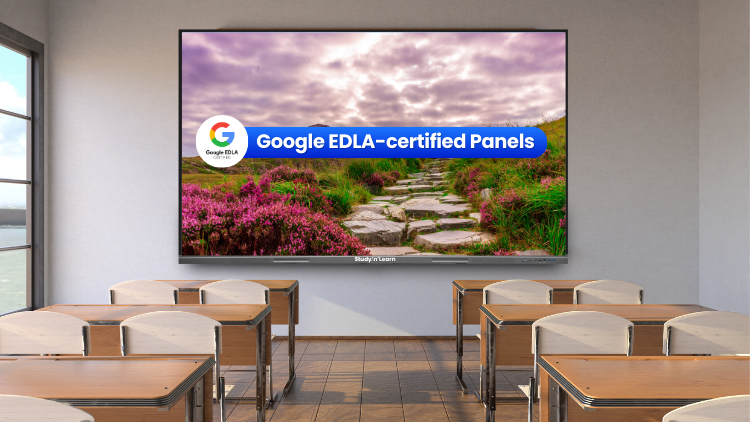
What Makes Google EDLA Important?

- Regular security updates
- Safe app downloads from the Play Store
- Smooth compatibility with Google tools
- Reliable long-term performance
Benefits of Using Google EDLA Certified Interactive Flat Panel
1. Seamless Access to Google Tools

2. Strong Security for School Data

3. Easy to Use for Teachers

Technology should make teaching easier. Teachers prefer systems that feel simple and familiar.
An interactive flat panel with EDLA runs on an Android-based system and gives direct access to the Google Play Store. Teachers can log in with their Google account and download trusted educational apps just like they do on their smartphones. They can install, update, and manage apps safely because Google certifies the device.
Teachers can also use it as a digital whiteboard to write notes, draw diagrams, and solve problems in real time. They can save and share notes through Google Drive or Classroom.
This simple access to the Play Store, combined with an easy interface, increases teacher confidence and improves classroom efficiency.
4. Makes Learning More Engaging Through Visuals

5. Supports Hybrid and Smart Classrooms

6. Long-Term Value for Schools

School management always focuses on durability and return on investment. Technology should remain useful for many years.
An interactive flat panel with EDLA receives regular software and security updates directly from Google. These updates keep the system secure and compatible with the latest apps available on the Google Play Store. Schools do not need to worry about outdated software or frequent replacements.
Instead of managing separate projectors, CPUs, and boards, schools can depend on one integrated interactive display. This all-in-one setup lowers maintenance costs and makes IT management simple and efficient.
7. Encourages Student Participation

8. Fits Indian Curriculum Needs

9. Builds a Modern School Image

Conclusion
For More Information, Call or WhatsApp on: 89270-89270.
Frequently Asked Questions (FAQs)
EDLA stands for Enterprise Devices Licensing Agreement. It is a certification given by Google to selected devices that meet strict security and performance standards. When a school chooses a panel with EDLA, it gets official access to Google services like Play Store, Classroom, Drive, and Meet. This certification ensures regular security updates and better protection of school data. Schools should care because it reduces technical risks, improves reliability, and guarantees long-term compatibility. Instead of depending on unverified systems, schools get a trusted and secure platform that supports modern digital learning without complications.
An EDLA-certified panel allows teachers to access Google tools directly on the screen without extra devices. Teachers can open lesson plans, presentations, and assignments instantly. They can conduct live classes, show videos, and annotate content smoothly. This convenience saves time and reduces technical stress during class. Teachers do not need to switch between laptops and projectors. Everything works in one place. As a result, lessons become more interactive and organized. Students stay focused because teachers spend less time managing devices and more time explaining concepts clearly.
No, most teachers find it easy to use. These panels run on an Android-based interface, which feels similar to a smartphone. Teachers can open apps, download educational tools, and manage files without special training. They can write on the screen just like a traditional board and save their notes for later use. Schools can also provide short orientation sessions to make teachers comfortable. Once teachers start using it daily, they quickly gain confidence. The simple design ensures that technology supports teaching instead of creating confusion or extra workload.
Data security is very important for schools. EDLA-certified devices receive official security updates directly from Google. These updates protect the system from malware, hacking attempts, and other digital threats. Schools often store student records, internal documents, and exam materials on their systems. A secure device reduces the risk of data leakage. It also allows administrators to manage permissions and control app access. By choosing certified technology, schools show responsibility toward student privacy. This builds trust among parents and ensures safe digital learning environments.
Yes, schools can easily conduct hybrid classes using this panel. Teachers can connect to Google Meet directly and teach both in-class and remote students at the same time. The screen displays high-quality visuals, and students at home can clearly see everything written on it. Teachers can share files instantly and record sessions if needed. This flexibility helps schools stay prepared for emergencies or special situations. Even if a few students cannot attend physically, they do not miss important lessons. Hybrid learning becomes smooth and organized.
Yes, it offers strong long-term value. Since the device receives regular updates, it stays compatible with new applications and services. Schools do not need to replace it frequently. It also combines multiple tools into one system, reducing the need for separate projectors, computers, and boards. Maintenance costs become lower over time. Reliable performance also reduces classroom disruptions. When schools calculate the overall benefits—security, durability, and functionality—they often find that this technology delivers better returns compared to cheaper, uncertified alternatives.
Students today respond better to visual and interactive content. Teachers can show animations, maps, videos, and diagrams that make lessons more interesting. Students can come to the screen and solve problems directly. This participation increases confidence and involvement. Instead of just listening, students interact with the lesson. Teachers can also conduct quick quizzes and discussions using digital tools. When students actively participate, they understand concepts faster and remember them longer. Interactive learning keeps classrooms energetic and focused.
Yes, it works well for all Indian education boards. Teachers can open digital textbooks, PDFs, and online resources easily. They can access content related to CBSE, ICSE, State Boards, or any competitive exam preparation. The system allows teachers to search topics instantly and present structured lessons. This flexibility makes it suitable for primary, secondary, and senior secondary classes. Schools do not need different systems for different boards. One device can support the complete academic structure efficiently.
Yes, it helps teachers manage time better. Teachers can save lesson notes and reuse them for multiple sections. They can download ready-made apps and tools to prepare content faster. Instead of writing everything manually each time, they can edit and update saved materials. Sharing assignments through Google Classroom also becomes easier. This organized workflow reduces repetitive tasks. Teachers spend less time on setup and more time focusing on student understanding. Over time, this improves teaching quality and reduces daily stress.
A normal smart panel may not provide official Google access or regular security updates. This can create compatibility and safety issues in the future. An EDLA-certified panel ensures reliable performance, secure app downloads, and direct integration with Google tools. Schools get better protection, smoother operation, and long-term stability. Instead of facing frequent technical problems, teachers enjoy a seamless experience. For schools that want dependable, future-ready technology, choosing a certified solution makes practical and strategic sense.
Related post:
- How Teachers Can Save Time Using an Interactive Flat Panel
- How Interactive Flat Panels Improve School Branding
- Smart Classroom Digital Board - What Schools Should Buy
- Why Every School Should Invest in Interactive Flat Panels in 2026
- Is Your School Ready for AI? 3 Ways Interactive Panels Will Evolve by 2027
- Why Schools Need an Interactive Display Board
- Sustainable Interactive Flat Panel: Green Tech Solutions for Schools
- Addressing Screen Fatigue: Designing Interactive Panel Use for Student Health and Focus
- Teacher-Influencers’ Classroom Setup: IFPs for Social Media Edutainment
- Meeting Gen Z’s AV Expectations: How IFPs Are Evolving Hybrid Classrooms