Interactive Panel Myths Debunked: 5 Things Every School Should Know
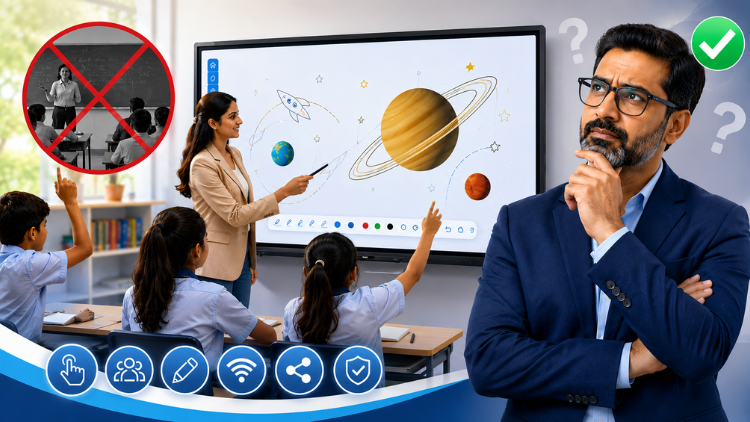
Why Schools Are Adopting Interactive Panels

Why Misconceptions Prevent Schools from Upgrading Classroom Technology

Myth 1: Interactive Panels Are Too Expensive for Schools

Myth
Fact
Myth 2: Teachers Need Advanced Technical Skills to Use Interactive Panels
Myth
Fact
Myth 3: Interactive Panels Are Only Useful for Higher Grades

Myth
Fact
Myth 4: Interactive Panels Only Replace Traditional Whiteboards

Myth
Fact
- Present multimedia lessons
- Display 3D educational models
- Annotate PDFs and presentations
- Conduct quizzes and instant assessments
- Share wireless content from student devices
- Enable collaborative group activities
- Support remote and hybrid learning
- Save and distribute lesson notes digitally
Myth 5: All Interactive Panels Offer the Same Features

Myth
Fact
Display Quality
Touch Technology
Educational K-12 Content
Operating System
Connectivity
Warranty and Support
How Schools Can Choose the Right Smart Board for Teaching

- Define classroom objectives and teaching requirements.
- Evaluate the ease of use for teachers.
- Compare display quality and touch responsiveness.
- Look for integrated educational software and collaboration tools.
- Verify compatibility with existing classroom devices.
- Check warranty coverage and local technical support.
- Request a live classroom demonstration before purchasing.
The Future of Interactive Classroom Technology

Conclusion
Frequently Asked Questions (FAQs)
An interactive panel is a touch-enabled digital display that combines a 4K screen, digital whiteboard, annotation tools, multimedia playback, and educational software in one device. Teachers can write, draw, play videos, display presentations, browse the internet, and save lesson notes directly from the panel. Students can also interact with the screen, making classroom learning more collaborative and engaging. Unlike projectors, interactive panels provide clear visuals without shadows, glare, or frequent maintenance, making them a reliable solution for modern classrooms.
Yes. While an interactive panel requires a higher initial investment than a traditional whiteboard or projector, it offers better long-term value. Schools benefit from lower maintenance costs, longer product life, improved teaching efficiency, and reduced dependence on additional classroom equipment. Interactive panels also support multimedia lessons, digital assessments, and collaborative learning, helping teachers deliver more engaging instruction. When schools evaluate total cost of ownership instead of just purchase price, interactive panels often prove to be a cost-effective educational investment.
No. A modern smart board for teaching is designed with an intuitive interface similar to a smartphone or tablet, making it easy for educators to use. Most teachers can quickly learn how to write on the screen, annotate documents, open presentations, play videos, and access educational resources with minimal training. Many manufacturers also provide onboarding sessions and ongoing support. Instead of increasing workload, a smart board simplifies lesson delivery and helps teachers create more interactive classroom experiences.
Yes. An interactive panel encourages active participation by allowing students to interact directly with lesson content instead of only watching presentations. Teachers can include quizzes, drag-and-drop activities, multimedia resources, collaborative exercises, and digital annotations during lessons. These interactive elements help maintain student attention and encourage classroom discussions. By combining visual, auditory, and hands-on learning, interactive panels create a more engaging environment that supports better understanding, participation, and knowledge retention across different age groups.
No. A smart board for teaching is a teaching aid, not a replacement for educators. Teachers remain responsible for lesson planning, classroom management, assessment, and personalized instruction. The technology simply provides better tools to explain concepts through visuals, videos, simulations, and collaborative activities. Interactive boards reduce manual tasks and make lessons more dynamic, allowing teachers to spend more time engaging with students and addressing individual learning needs rather than replacing the human role in education.
Schools should evaluate several factors before selecting an interactive panel. Important considerations include display resolution, touch accuracy, screen durability, operating system, educational software, wireless connectivity, annotation tools, built-in speakers, compatibility with existing classroom devices, warranty, and after-sales support. Schools should also request a live demonstration to assess real classroom performance. Comparing these features helps institutions choose a solution that delivers long-term value and supports effective teaching rather than selecting based solely on price.
Yes. A smart board for teaching supports learning across all educational levels. Preschool teachers can use interactive games, storytelling, and visual activities to build foundational skills. Primary schools benefit from engaging mathematics, language, and science lessons, while secondary schools can use multimedia presentations, virtual experiments, and collaborative projects. Colleges and universities can deliver seminars, technical demonstrations, and hybrid lectures. The flexibility of interactive technology allows educators to adapt lessons according to students' age and learning requirements.
An interactive panel offers several advantages over projectors and whiteboards. It provides bright, high-resolution visuals without shadows or reduced image quality over time. Teachers can write digitally, annotate documents, access online resources, and save classroom notes instantly. Unlike projectors, interactive panels do not require lamp replacements or extensive maintenance. They also combine multiple classroom tools into one device, reducing equipment clutter while supporting interactive learning, collaboration, multimedia teaching, and hybrid education more effectively than traditional classroom setups.
Absolutely. An interactive panel supports both in-person and hybrid classrooms by allowing teachers to share content digitally, annotate lessons in real time, conduct virtual classes, and integrate with popular video conferencing platforms. Lesson materials can be saved and shared with students after class, ensuring continuity in learning. These capabilities help schools maintain consistent teaching whether students attend physically, remotely, or through a blended learning model, making interactive panels valuable for today's evolving education environment.
Choosing the best smart board for teaching starts with understanding classroom needs rather than focusing only on price. Schools should compare display quality, touch responsiveness, educational software, operating system, connectivity options, warranty, technical support, and ease of use. A live product demonstration can help educators evaluate performance in real teaching scenarios. Selecting a trusted manufacturer with reliable after-sales service ensures long-term satisfaction, better classroom outcomes, and a worthwhile investment that supports both teachers and students for years to come.
Related post:
- How to Select the Right Interactive Panel for Classroom Based on School Requirements
- Smart Board for Teaching: 5 Questions Every School Should Ask Before Buying
- Smart Board for Teaching Price? Everything Schools Should Know
- The Future of Smart Board in Indian Education
- The Future of Smart Classrooms: Why Digital Board Is Becoming Essential
- Dept of Agricultural Research and Education, Uttarakhand Chooses SmartSchool Education for Advanced Digital Learning Solutions
- The Role of Interactive Panels in Creating Smart Classrooms
- The Future of Smart Classrooms with Interactive Flat Panels
- How an Interactive Flat Panel Improves Learning Outcomes
- Interactive Flat Panel for Classroom - Complete Buyer Guide for Schools