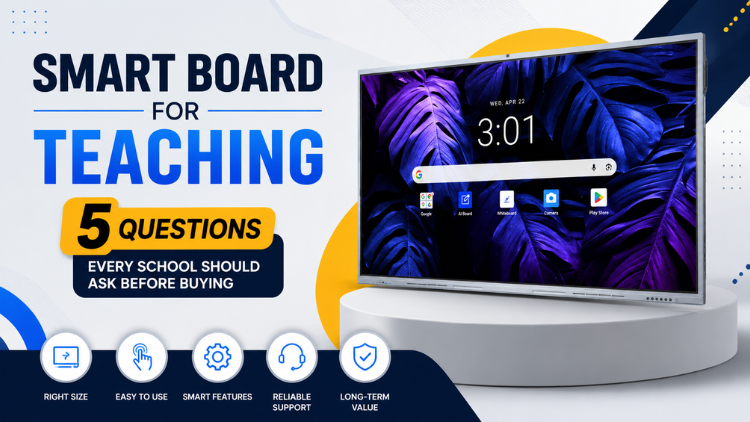
Smart Board for Teaching: 5 Questions Every School Should Ask Before Buying
Why Schools Need to Evaluate Interactive Displays Carefully

5 Questions Every School Should Ask Before Buying
1. What Screen Size and Display Quality Does Our Classroom Need?

- 4K resolution for detailed text, diagrams, and multimedia
- Brightness suitable for the room's lighting conditions
- Contrast and color accuracy
- Wide viewing angles
- Responsive touch performance
2. Does It Provide the Interactive Features Teachers Actually Need?

- Annotating presentations and diagrams
- Writing directly over lesson content
- Sharing a laptop, tablet, or phone screen
- Running interactive quizzes
- Displaying K-12 educational videos and web resources
- Working on content collaboratively
3. Is the Software and Operating System Suitable for Our School?

- Built-in operating system and educational applications
- Common file formats and browser access
- Cloud integration and screen casting
- Laptop and tablet compatibility
- Software updates
4. Will Teachers Be Able to Use It Easily?

- Annotating a presentation
- Explaining diagrams or concepts
- Playing educational videos
- Conducting interactive quizzes
- Saving lesson notes
5. What Are the Total Costs Beyond the Purchase Price?

- Hardware and installation costs
- Software or subscription requirements
- Warranty duration and coverage
- Maintenance and repair processes
- Technical support availability
- Software update policies
- Expected lifecycle and replacement considerations
Digital Board for Classroom vs Traditional Teaching Tools

| Factor | Traditional Teaching Tools | Interactive Classroom Display |
| Content delivery | Static | Multimedia |
| Student interaction | Limited | Interactive |
| Multimedia | Limited | Supported |
| Collaboration | Basic | Advanced |
| Lesson saving | Limited | Digital |
| Content sharing | Manual | Digital |
| Remote/hybrid learning | Limited | Supported |
What Should Schools Check During a Product Demonstration?

- Test touch responsiveness across different areas of the screen.
- Check visibility from the back of the classroom.
- Open common teaching files and websites.
- Test annotation and whiteboarding tools.
- Explore included educational software.
- Check speaker and audio quality.
- Ask how software updates are handled.
- Review warranty terms and exclusions.
- Evaluate the supplier's technical support process.
Common Mistakes to Avoid When Buying

Schools often make avoidable mistakes when purchasing classroom technology.
- Choosing only by price: Compare warranty, software, support, and lifecycle costs.
- Buying an inappropriate screen size: Match the display to viewing distance and room layout.
- Ignoring software compatibility: Test the files, applications, and devices teachers already use.
- Overlooking teacher training: Confirm onboarding and support before deployment.
- Not checking warranty conditions: Understand coverage, exclusions, response times, and service procedures.
- Ignoring after-sales support: Ask who handles technical issues and how support is accessed.
- Selecting unnecessary features: Prioritize tools that support real teaching activities.
- Skipping a product demonstration: Test the product in conditions similar to actual classroom use.
Conclusion
Frequently Asked Questions (FAQs)
Schools should evaluate several factors before investing in a digital board for classroom, including screen size, display resolution, touch responsiveness, software compatibility, connectivity, warranty, and after-sales support. Classroom size and viewing distance should also influence the display size selected. Schools should consider how teachers will use the technology for presentations, annotations, multimedia lessons, assessments, and collaborative activities. A product demonstration can help decision-makers evaluate usability in real classroom conditions. Most importantly, schools should consider total cost of ownership rather than focusing only on the initial purchase price, ensuring the selected solution remains useful and reliable over the long term.
Important features in a smart board for teaching include a high-resolution display, responsive multi-touch technology, digital annotation, wireless screen sharing, built-in educational tools, reliable connectivity, and compatibility with commonly used devices. A 4K display can provide clear visuals, while multi-touch functionality allows multiple users to interact with content. Schools should also consider operating system performance, software updates, cloud integration, audio quality, and security features. The most valuable features are those that teachers can use regularly to make lessons more interactive, collaborative, and efficient rather than simply choosing a model with the longest specification list.
The right screen size depends primarily on classroom dimensions, viewing distance, seating arrangement, and the number of students. A display should be large enough for students at the back of the room to comfortably read text, diagrams, and visual content. Schools should assess the actual classroom layout instead of selecting a size based solely on preference. During a demonstration, decision-makers should view the display from different seating positions to check readability and visibility. Choosing an appropriately sized digital board for classroom ensures teachers can deliver content effectively without making students strain to see the screen.
Hardware determines the physical capabilities of a smart board for teaching, but software determines many of the ways teachers can use those capabilities. Schools should check whether the display supports educational applications, web browsing, digital annotation, screen sharing, cloud services, common file formats, and collaboration tools. Regular software and firmware updates are also important for security, compatibility, and long-term usability. A display with excellent hardware but limited or difficult-to-use software may not deliver its full potential. Schools should therefore evaluate the complete technology ecosystem rather than treating the display as a standalone device.
Yes. A digital board for classroom can support a wide range of subjects because teachers can combine text, images, videos, diagrams, presentations, simulations, and interactive activities. Science teachers can demonstrate concepts through animations, mathematics teachers can work with graphs and equations, and language teachers can incorporate audio and multimedia resources. Social science lessons can use maps, timelines, and visual resources. The technology can also support art, computer education, commerce, and vocational training. Its flexibility allows teachers to adapt digital resources to different subjects, age groups, teaching methods, and learning objectives.
Schools should test the device during a live demonstration rather than relying only on specifications or brochures. Teachers should try common tasks such as writing on the screen, opening a presentation, annotating documents, sharing a laptop screen, playing videos, accessing applications, and saving lesson content. The interface should be intuitive enough for teachers to perform these activities without unnecessary technical steps. Schools should also ask about teacher training and technical support. A smart board for teaching is more valuable when educators can confidently integrate it into everyday lessons without requiring extensive technical assistance.
Total cost of ownership refers to the complete expense of using a digital board for classroom throughout its operational life, rather than only its initial purchase price. It can include installation, accessories, software, maintenance, technical support, repairs, warranty coverage, and potential upgrades. Schools should examine these costs when comparing different solutions because a lower initial price does not always mean lower long-term expenditure. A reliable product with strong support and appropriate warranty coverage may provide better value over time. Considering total cost of ownership helps schools make more informed and sustainable technology investments.
Warranty and after-sales support are important because interactive classroom displays are technology investments that may require software assistance, troubleshooting, maintenance, or repairs during their operational life. Schools should understand warranty duration, what components are covered, response times, service availability, and the process for handling technical issues. Reliable support can reduce classroom disruption when problems occur. When evaluating a smart board for teaching, decision-makers should therefore assess the manufacturer or supplier's support capabilities alongside hardware specifications. Strong after-sales service can significantly contribute to the long-term reliability and usability of the technology.
No. Price is an important consideration, but it should not be the only purchasing criterion. Schools should compare display quality, touch performance, software capabilities, connectivity, durability, warranty, technical support, and expected lifecycle. A lower-cost product may become less economical if it lacks important features, receives limited software support, or requires frequent maintenance. Conversely, paying more for features that teachers rarely use may also reduce value. The right digital board for classroom should provide a balanced combination of functionality, reliability, usability, support, and long-term educational value within the school's budget.
During a product demonstration, schools should test touch accuracy, writing and annotation tools, display visibility, screen sharing, audio quality, application performance, file compatibility, and internet connectivity. Teachers should perform realistic classroom tasks rather than simply viewing the product presentation. It is also useful to test the display from the back of the classroom and with multiple users interacting with the screen. Schools should ask about software updates, warranty terms, installation, training, and technical support. A thorough demonstration helps decision-makers determine whether the smart board for teaching is practical for everyday classroom use.
Related post:
- Can an Interactive Flat Panel with AI Become a Teacher’s Digital Assistant?
- 5 Everyday Teaching Tasks an AI Smart Board Could Make Simpler
- How to Select the Right Interactive Panel for Classroom Based on School Requirements
- Smart Board for Teaching Price? Everything Schools Should Know
- The Future of Smart Board in Indian Education
- Interactive Panel Myths Debunked: 5 Things Every School Should Know
- The Future of Smart Classrooms: Why Digital Board Is Becoming Essential
- Dept of Agricultural Research and Education, Uttarakhand Chooses SmartSchool Education for Advanced Digital Learning Solutions
- The Role of Interactive Panels in Creating Smart Classrooms
- The Future of Smart Classrooms with Interactive Flat Panels